Research-led product guide
WOLFBOX G900 Pro: the answer in context
G900 Pro parking monitoring requires continuous power through a compatible hardwire solution. WOLFBOX currently distinguishes G900 Pro hardware versions when selling the kit, so checking the device’s ports or identifying label comes before fuse selection. The installation also has to respect the vehicle’s electrical system, airbags, trim, battery condition, and storage limits.
- Purpose
- Supplies power after the ignition is off
- Compatibility
- Match the kit to the exact G900 Pro hardware version
- Electrical plan
- Identify constant power, switched power, and ground from vehicle documentation
- Protection
- Use the compatible kit’s low-voltage protection and monitor battery health
- Storage
- Parking footage remains local on the microSD card
Our view is based on published specifications, manufacturer documentation, and category research. Where we have not performed hands-on testing, we do not imply that we have.
Hardware compatibility
Identify the camera revision before buying or connecting a hardwire kit
WOLFBOX’s current U.S. accessory page tells G900 Pro owners to check the device version and choose the matching kit. Older regional material also distinguishes input-current versions. Do not assume that any USB-C hardwire cable is electrically or functionally interchangeable.
Confirm the exact camera, connector layout, input requirement, kit version, fuse-tap options, cable length, and vehicle voltage. A product photo or model name alone is not enough when hardware revisions exist.
- Read the label and inspect the ports
- Match the exact WOLFBOX kit version
- Confirm the vehicle electrical system before installation
Installation planning
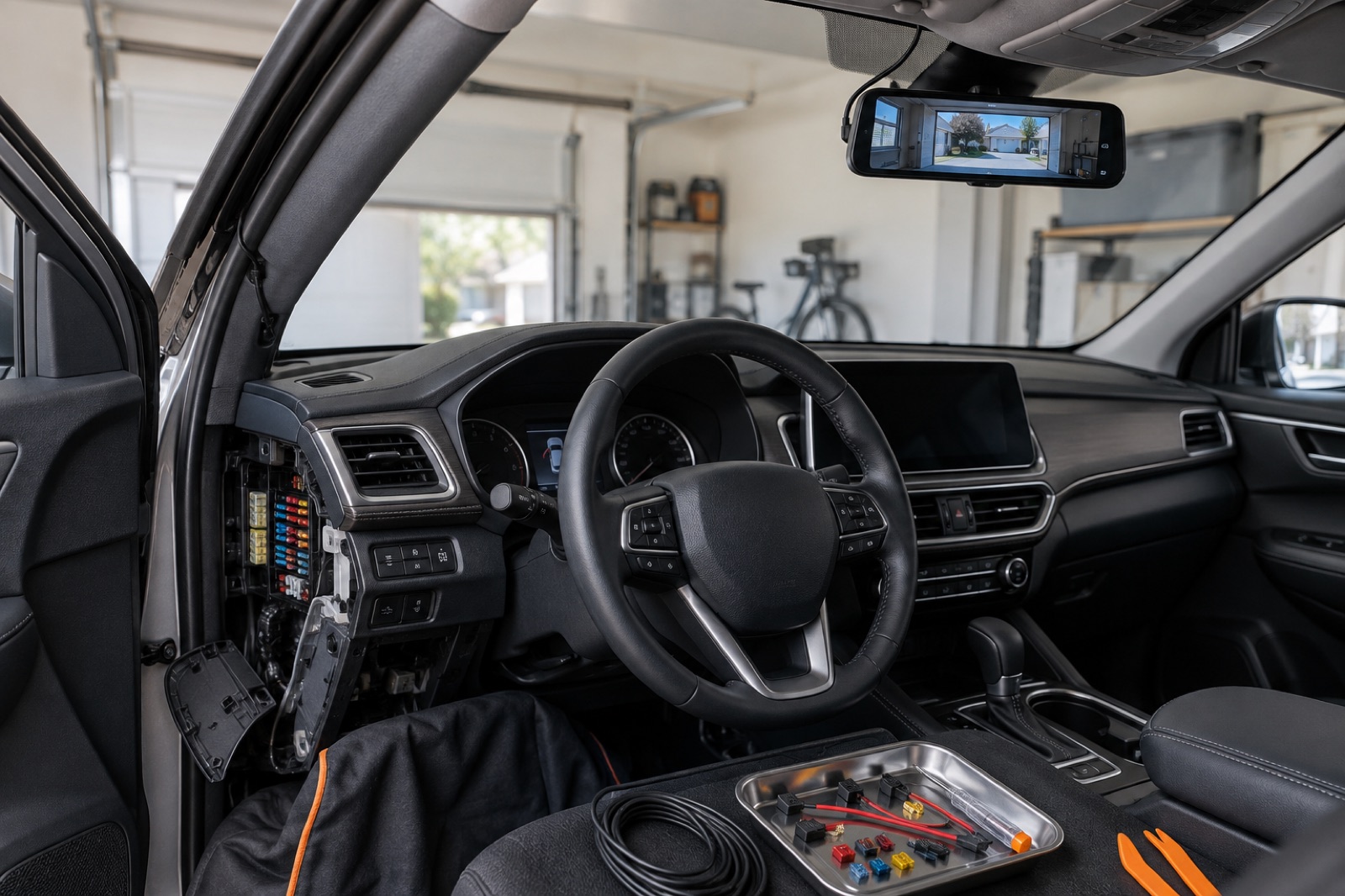
Fuse choice and cable routing are vehicle work, not just camera setup
A typical parking installation needs a dependable constant-power source, a switched source when required by the kit, and a sound ground. Fuse-box layouts and circuit behavior vary, so use the vehicle manual and the hardwire-kit instructions. Never select a circuit solely by color or physical convenience.
Route the cable without crossing pedals, steering parts, sharp edges, or airbag deployment paths. Do not tuck a wire across an A-pillar airbag. If circuit identification, trim removal, or fuse tapping is unfamiliar, professional installation is the safer choice.
Battery protection
Low-voltage cutoff reduces risk; it does not make an aging battery unlimited
The compatible hardwire kit is designed to stop drawing power below its cutoff behavior, but battery condition, temperature, parking duration, vehicle sleep behavior, and other loads still matter. A vehicle that already starts slowly or has an electrical fault is a poor candidate for extended parking recording until the battery and charging system are checked.
After installation, test normal ignition transitions and verify that the vehicle enters and exits parking mode as expected. Recheck starting behavior the next morning and after longer parking periods before relying on the setup during travel.
Recording and retrieval
Choose a parking mode by the incident you want to document
Impact-triggered recording and time-lapse serve different needs. Impact detection reduces continuous writing but depends on sensitivity and the physical event. Time-lapse adds broader context but uses more power and storage. Follow the current G900 Pro menu and manual rather than assuming every regional revision exposes identical choices.
Parking footage is stored locally rather than providing cellular remote monitoring. Test how clips are protected, confirm front and rear coverage, check nighttime framing, and practice app or card-reader retrieval while the vehicle is safe at home.
Frequently asked questions
What buyers ask about WOLFBOX G900 Pro
Does WOLFBOX G900 Pro parking mode need a hardwire kit?
WOLFBOX lists parking monitoring with a compatible hardwire kit. The normal accessory-power connection does not provide the same continuous parked power.
Which G900 Pro hardwire kit should I buy?
Check the exact device revision, ports or identifying label and select the matching current WOLFBOX kit. Hardware versions are not safely interchangeable by assumption.
Will low-voltage protection prevent every dead battery?
No. It reduces discharge risk, but battery age, temperature, parking time and other vehicle loads still matter.
Where is parking footage stored?
WOLFBOX describes local microSD storage. The G900 Pro does not become a cellular remote-monitoring system simply because parking mode is enabled.
Should I install the fuse taps myself?
Only if you can identify the correct circuits and route wiring safely from vehicle and kit documentation. Otherwise use a qualified installer.
Primary sources checked
Official documentation used for this guide
Specifications, software, bundles, warranties, and compatibility can change. These primary sources were checked while preparing this page; confirm the current information for the exact model before purchase.
Product links