Research-led product guide
WOLFBOX G900 Pro Mirror Dash Cam: the answer in context
The WOLFBOX G900 Pro combines a 12-inch mirror display with front and rear recording, app connectivity, voice control, GPS support, and parking-monitor compatibility. Its clearest advantage is the integrated rear-view format, but that format also makes physical fit, rear-camera placement, cable routing, glare, and everyday control access more important than they are with a small conventional dash cam.
- Format
- 12-inch touchscreen mirror display with front and rear cameras
- Published imaging hardware
- Sony STARVIS IMX678 front sensor and OmniVision OS04J10 rear sensor
- Storage
- MicroSD support up to 512GB, according to WOLFBOX
- Parking recording
- Supported with the compatible hardwire kit; confirm the exact bundle
Our view is based on published specifications, manufacturer documentation, and category research. Where we have not performed hands-on testing, we do not imply that we have.
Review verdict
The mirror format is the reason to buy it—and the first compatibility check
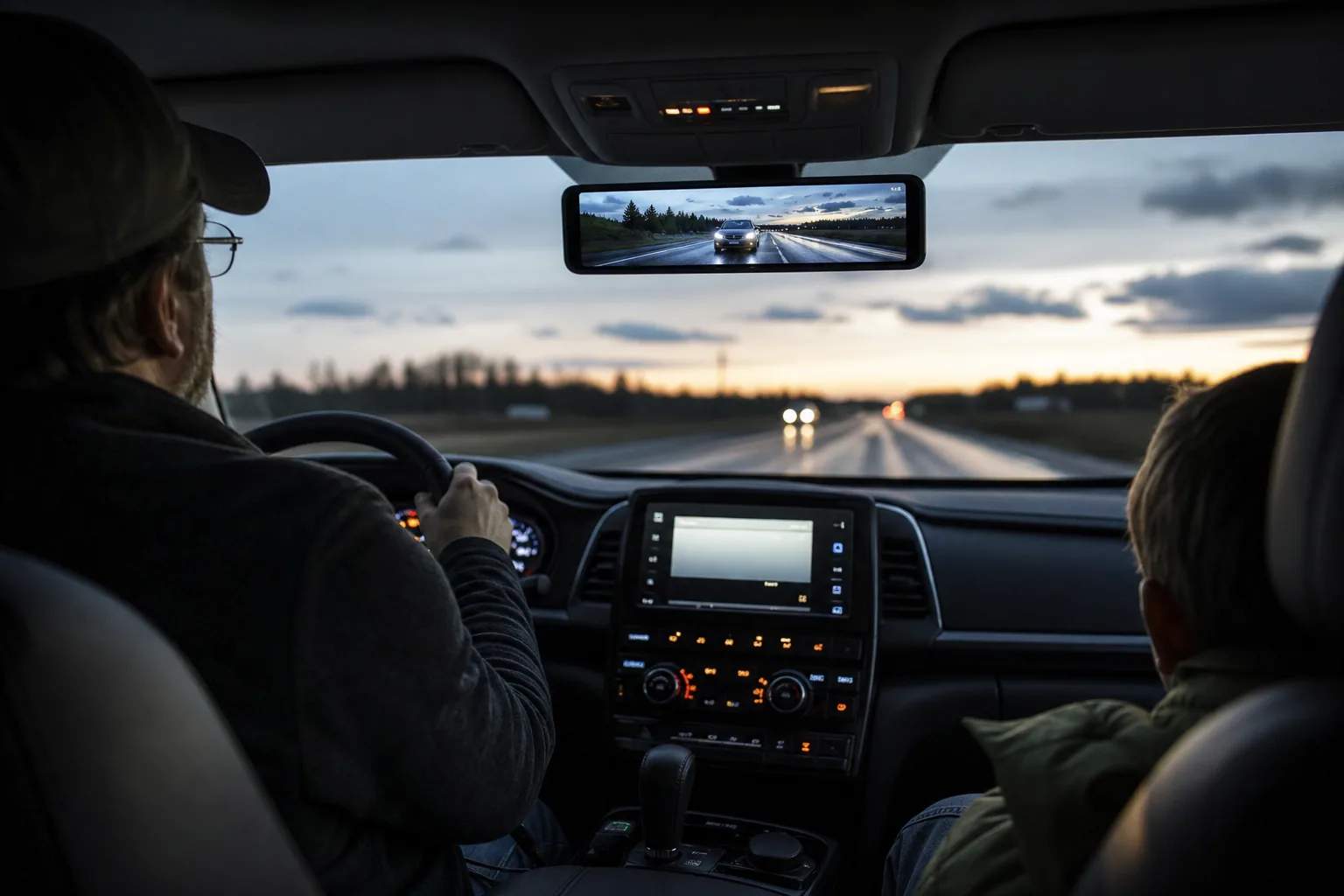
The G900 Pro makes sense for a driver who wants a live rear-camera view integrated across a wide mirror display, especially when passengers, cargo, headrests, or a small rear window regularly limit the optical mirror. WOLFBOX documents a 12-inch touchscreen, front and rear cameras, Wi-Fi and app control, voice control, loop recording, GPS playback, and support for parking monitoring with a hardwire kit.
We have not independently measured image quality, night performance, boot time, heat tolerance, voice-command accuracy, or parking-mode current draw. This assessment is based on current WOLFBOX product information and documentation. The specification list is promising, but a good result still depends on whether the display fits the vehicle, the rear camera has a useful view, and the wiring can be installed safely.
- Best fit: drivers who actively want a digital rear-view mirror
- Main tradeoff: more vehicle-specific fit and installation work
- Do not buy from resolution language alone
Vehicle fit and installation
Measure the mirror, visors, sensors, and cable route before ordering
A mirror dash cam sits on the vehicle’s existing mirror rather than occupying a small patch of windshield. Measure the original mirror body, check the position of buttons or automatic-dimming sensors, and move both sun visors through their full range. Confirm that the added width will not block controls or create an unsafe sight-line problem. Local placement rules and the vehicle manual still apply.
Plan the full rear-camera cable route before installation. Hatchbacks, liftgates, trucks, and long SUVs can create different routing and camera-position problems. Keep wiring away from airbags, moving trim, sharp edges, weather seals, and hot components. If parking recording is part of the purchase decision, include the compatible hardwire kit and appropriate professional installation in the real project cost.
Recording and file workflow
The sensor and storage specifications are useful; footage management completes the system
WOLFBOX lists a Sony STARVIS IMX678 front sensor, an OmniVision OS04J10 rear sensor, front and rear recording, loop recording, and support for cards up to 512GB. A larger card can extend the overwrite window, but the usable recording history also depends on resolution, channel count, clip length, protected files, formatting, and the health of the card.
Wi-Fi and app control can make it easier to review or transfer a clip at the vehicle, but they should not be confused with permanent cloud backup. Learn how to lock an important file, remove or copy footage, verify timestamps and GPS data, and recognize a card error before an incident. Use storage that matches the current manual and format it as directed.
- Verify the supported card type as well as capacity
- Practice saving a clip before relying on the camera
- Recheck time, date, camera angle, and recording status after service
Everyday ownership
A clear live view does not remove the need for mirrors, checks, and maintenance
A camera view can remain useful when cargo blocks the rear window, but it introduces its own dependencies: lens cleanliness, power, screen brightness, exposure, rain, glare, and camera position. Keep the vehicle’s required mirrors usable, clean both lenses regularly, and check the rear-camera image after a car wash, cargo load, hatch repair, or seasonal temperature change.
Choose the G900 Pro over a conventional two-channel dash cam when the digital-mirror interface is itself valuable. Choose a smaller conventional system when preserving the factory mirror experience, minimizing visual change, or simplifying installation matters more. The right comparison is not “more screen versus less screen”; it is which interface creates the safer, more maintainable routine in the specific vehicle.
Frequently asked questions
What buyers ask about WOLFBOX G900 Pro Mirror Dash Cam
Will the WOLFBOX G900 Pro fit every vehicle?
No universal fit should be assumed. Measure the existing mirror, check visor and control clearance, review cable length and rear-camera placement, and follow vehicle-specific installation guidance.
Does the G900 Pro support parking recording?
WOLFBOX lists parking monitoring with a compatible hardwire kit. Confirm the exact kit, bundle, cutoff behavior, and installation requirements before purchase.
What size memory card does the G900 Pro support?
WOLFBOX currently lists support up to 512GB. Confirm the card type and formatting guidance in the latest manual because capacity alone does not establish compatibility.
Does the WOLFBOX app mean footage is stored in the cloud?
The documented Wi-Fi and app workflow supports local camera control and file access. Do not assume automatic cloud backup unless the current product and service documentation explicitly provides it.
Primary sources checked
Official documentation used for this guide
Specifications, software, bundles, warranties, and compatibility can change. These primary sources were checked while preparing this page; confirm the current information for the exact model before purchase.
Original vehicle-fit pre-check
Will the WOLFBOX G900 Pro fit your vehicle?
Screen the mirror, visors, front lens, rear-camera route, airbags, and parking-power plan before treating a 12-inch mirror dash cam as universal fit.
Do not tuck the power or rear-camera cable across an A-pillar airbag. Use vehicle documentation or a qualified installer to identify a safe route.
Open WOLFBOX installation guidance →This pre-check cannot approve a vehicle installation. WOLFBOX package contents and hardware revisions can change. Confirm the current product page and manual, keep all required mirrors and driver sight lines usable, and use a qualified installer when trim, airbags, fuse selection, reverse-light wiring, or vehicle electronics are uncertain.
Product links