Research-led product guide
VITURE Pro 2 XR Glasses: the answer in context
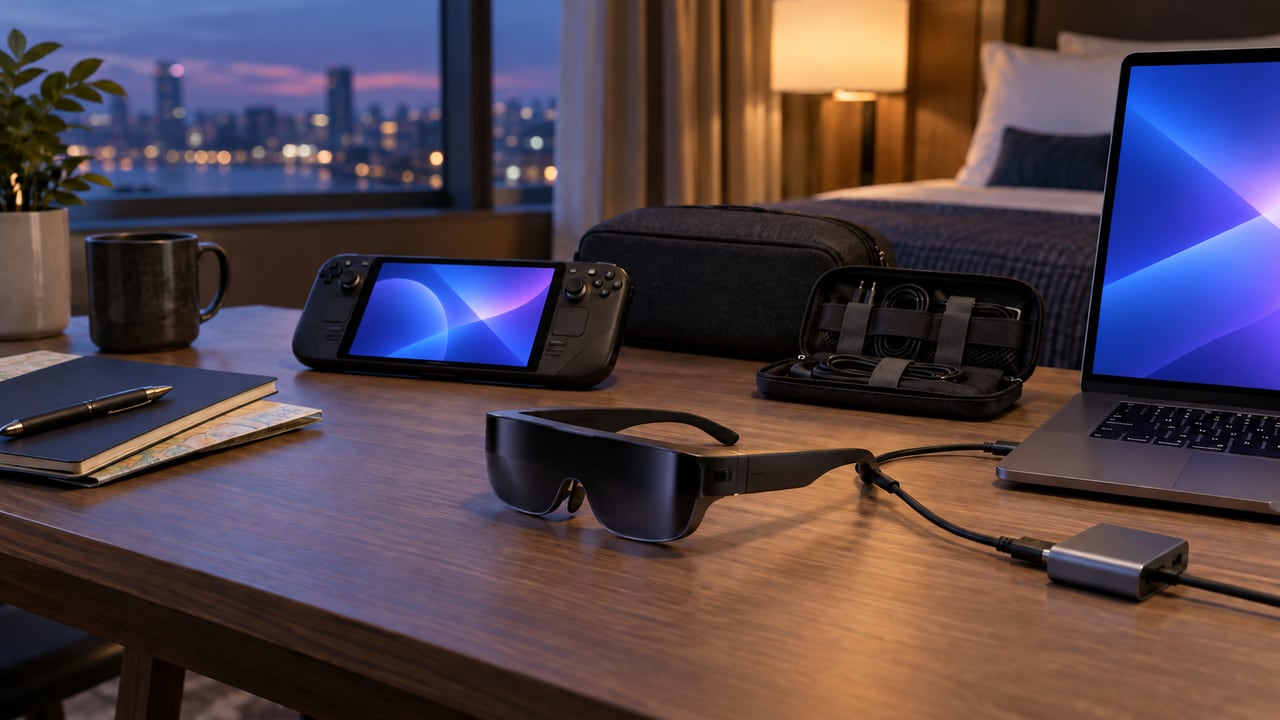
VITURE Pro 2 XR Glasses are a wearable private display, not a self-contained computer. VITURE publishes 1080p resolution per eye, Sony Micro-OLED panels, a 120Hz refresh rate, 50-degree field of view, up to 1,600 nits, a 146-inch virtual-screen claim, 63 g weight, and separate 0 to -5.0D diopter dials. The decisive compatibility question is whether the exact phone, laptop, handheld, console, or dock can output supported video and power through the required connection chain.
- Exact listing
- VITURE Pro 2 XR Glasses; ASIN B0H824YXJH
- Display
- Sony Micro-OLED, 1080p per eye
- Published refresh rate
- Up to 120Hz
- Published field of view
- 50 degrees
- Vision adjustment
- Independent 0 to -5.0D diopter dials
- Published weight
- 63 g
- Core dependency
- A compatible video-output source and the correct cable, dock, or adapter
Our view is based on published specifications, manufacturer documentation, and category research. Where we have not performed hands-on testing, we do not imply that we have.
Device compatibility
USB-C shape alone does not prove video output
Many USB-C ports charge or transfer data without supporting DisplayPort video. Confirm the exact device model and port specification. Some phones, handhelds, and consoles require a VITURE adapter, dock, or separate power path. A chain that technically displays video may still limit refresh rate, charging, audio, or controls.
Map the whole setup before buying: source device, port, cable, dock, charging power, controller, seated or mobile use, and whether another person needs to see the screen. Keep firmware and accessory compatibility specific to the exact Pro 2 model.
Optical fit
Face shape, nose support, eyesight, and alignment determine clarity
VITURE includes multiple nose-pad configurations and 0 to -5.0D adjustment. Diopter dials can help with spherical myopia in their supported range, but they do not correct every prescription, astigmatism, binocular difference, or eye condition. Prescription lens inserts or professional advice may still be needed.
A published virtual-screen size is an angular perception claim, not a physical panel measurement. Comfort depends on alignment, eye position, cable pull, head movement, heat, and session length. Use breaks and stop if discomfort, dizziness, blur, headache, or eye strain occurs.
Best use cases
Strongest for a personal screen when the source and fit are already solved
Pro 2 can make sense for handheld gaming, private media, travel, or a compact secondary display. It is less suitable when shared viewing, true see-through spatial computing, prescription complexity, active movement, or long text-heavy desktop work dominates.
This guide follows the VITURE Pro 2 XR Glasses listing associated with ASIN B0H824YXJH. Confirm the Pro 2 name, ASIN, seller, color, included cable, regional support, warranty, return terms, and every adapter or dock required by the intended source device before checkout.
We have not independently measured brightness, color, latency, clarity, comfort, audio, or battery impact on connected devices. Verify seller terms, exact included cable, supported devices, and required accessories before purchase.
Frequently asked questions
What buyers ask about VITURE Pro 2 XR Glasses
Are VITURE Pro 2 glasses standalone?
No. They require a compatible source device and connection; some sources need an adapter or dock.
Do VITURE Pro 2 glasses work with every USB-C phone?
No. The phone must support compatible video output, not merely use a USB-C connector.
Does VITURE Pro 2 work with iPhone?
It depends on the exact iPhone and connection path. Confirm the current VITURE iPhone compatibility guidance and required USB-C adapter, charging adapter, or accessory before purchase; a USB-C connector alone does not prove supported video output or every SpaceWalker feature.
Can the diopter dials replace prescription lenses?
They cover published spherical adjustment from 0 to -5.0D, but do not correct every prescription or astigmatism.
Do VITURE Pro 2 glasses provide 4K resolution?
VITURE lists 1080p per eye. Marketing comparisons such as 4K-like should not be read as native 4K panels.
Can VITURE Pro 2 connect to Switch 2, PS5, or Xbox?
Yes, with the correct accessory chain. VITURE lists Switch and Switch 2 support through Mobile Dock Mini, Pro Mobile Dock, or USB-C XR Charging Adapter Ultra; PS5, Xbox, and other HDMI consoles require the Pro Mobile Dock. USB-C handhelds with compatible video output can connect directly.
Primary sources checked
Official documentation used for this guide
Specifications, software, bundles, warranties, and compatibility can change. These primary sources were checked while preparing this page; confirm the current information for the exact model before purchase.
Original compatibility pre-check
Will VITURE Pro 2 work with your device and vision needs?
Check video output, adapters, console accessories, prescription requirements, and physical fit before treating USB-C XR glasses as universal.
Confirm the exact source output, any required accessory, prescription plan, IPD, nose support, and return options before treating the glasses as plug-and-play.
Check the exact VITURE Pro 2 product link →This check cannot certify device compatibility, eyesight suitability, comfort, firmware behavior, or accessory power. Use VITURE’s current feature chart and product documentation, and seek qualified eye-care advice when prescription needs are uncertain.
Product links