Research-led product guide
GOOLOO GP4000 Jump Starter: the answer in context
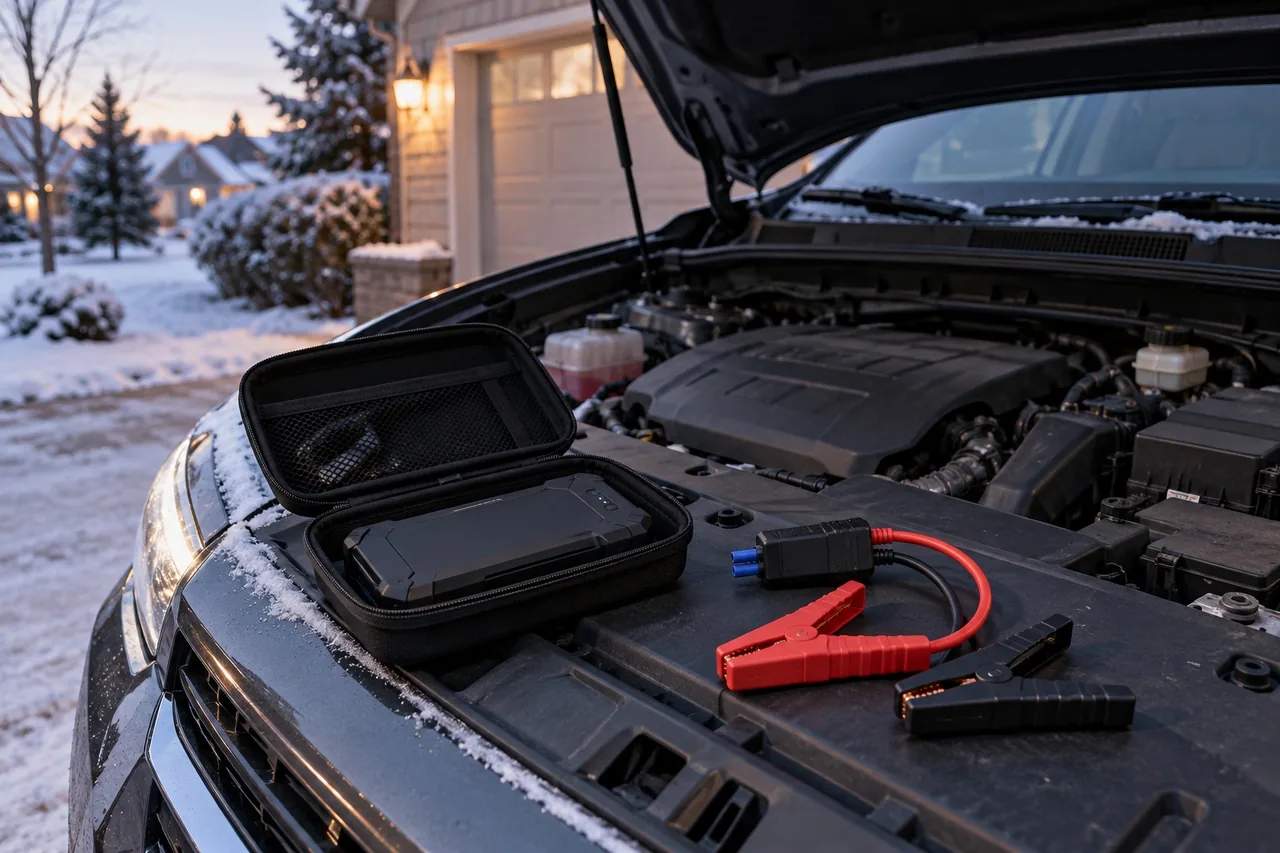
Use the GOOLOO GP4000 only with a compatible 12V starting system and the exact vehicle procedure. Before attaching a clamp, confirm the battery is not frozen, swollen, leaking, cracked, or unusually hot; identify the approved positive connection and negative or ground point; and check that the pack, cable, and clamps are charged, dry, and undamaged. Connect in the order shown by the current GP4000 guide, read the smart-clamp indicator, and attempt a start only when the documented status permits it. BOOST is a low-voltage exception—not the normal first step.
- Before connecting
- Confirm a compatible 12V system, safe battery condition, approved jump points, and sufficient GP4000 charge
- Red clamp
- Attach to the vehicle manufacturer’s approved positive (+) battery or remote jump point
- Black clamp
- Attach to the approved negative terminal or ground point specified by the vehicle manual
- Proceed signal
- Current GP4000 guidance uses a solid green smart-clamp indicator for a correct connection
- BOOST mode
- Use only for the documented very-low-voltage condition after polarity and connection points are verified
- Stop condition
- Stop after warnings, heat, damage, repeated failure, or any conflict with the vehicle or GP4000 instructions
Our view is based on published specifications, manufacturer documentation, and category research. Where we have not performed hands-on testing, we do not imply that we have.
Before you connect
Make the scene safe and identify the vehicle’s approved jump points
Move the vehicle out of active traffic when possible, set the parking brake, select Park or Neutral as directed by the vehicle manual, switch off lights and accessories, and keep flame, smoking, loose metal, and unnecessary people away from the battery area. Do not work in standing water or where the pack, cable, or clamps are wet.
Confirm that the vehicle uses a compatible 12V starting system. Some vehicles specify remote positive and ground points rather than direct battery-terminal access; hybrids, specialty vehicles, trucks with multiple batteries, and modified electrical systems can require model-specific procedures. The vehicle manual controls whenever it differs from a general jump-starter guide.
Do not attempt to jump a frozen, swollen, leaking, cracked, smoking, sparking, or unusually hot battery. Stop if the battery case is distorted, the terminals are badly damaged, the cable insulation is split, a clamp is loose, or the GP4000 enclosure is damaged. Those conditions call for qualified help rather than another connection attempt.
- Compatible 12V system confirmed
- Approved positive and ground points identified
- Pack, plug, cable, and clamps inspected
- People and loose metal kept clear
Connection sequence
Seat the smart cable fully, then connect positive and the approved ground point
Read the current GP4000 manual supplied with the exact unit before the first emergency. GOOLOO’s current guidance shows the smart jumper cable connected securely to the pack before the clamps are placed on the vehicle. Make sure the plug is fully seated and the cable is not stretched across a belt, fan, hot exhaust component, or other moving or sharp part.
Attach the red clamp to the approved positive (+) battery terminal or remote positive post. Attach the black clamp to the negative terminal or designated ground point specified by the vehicle manufacturer. Keep the clamps separated, stable, and clear of moving parts. If the clamp cannot bite clean metal securely, stop rather than balancing it on an uncertain contact.
Do not improvise the polarity or choose a ground point by appearance alone. If the vehicle manual, labels, or battery layout are unclear, roadside assistance or a qualified technician is the safer choice.
Read the smart clamps
The indicator must make sense before the engine is cranked
Current GP4000 guidance uses a solid green indicator for a correct connection that is ready for a normal start attempt. A red warning, beeping, or another unexpected state is not permission to continue. Disconnect, move the clamps away from each other, recheck polarity and the approved connection points, then consult the current indicator table.
Very low vehicle-battery voltage can produce a different documented state and may be the situation for which BOOST exists. BOOST bypasses part of the automatic decision process, so it should never be used to overcome reversed polarity, a 24V system, an unknown battery condition, damaged wiring, or an insecure clamp.
Because smart-clamp behavior and printed instructions can vary across revisions or bundles, keep the guide supplied with the exact GP4000 in its case. The dedicated troubleshooting page explains the common green, red, beeping, and protection states in more detail.
Start attempt
Use one controlled attempt and stop if the result does not match a weak battery
Once the documented ready signal is present, keep people and cables clear and start the vehicle using the normal ignition procedure. Do not hold the starter indefinitely or make rapid repeated attempts. Follow the attempt duration, waiting interval, and maximum number of tries in the current GP4000 manual and vehicle manual.
A slow crank may point to low battery voltage, cold conditions, poor clamp contact, inadequate pack charge, or a battery that is too deteriorated to accept assistance. No crank can also involve a connection, fuse, starter, security, transmission-position, or other electrical issue. Normal cranking without the engine running is not primarily a jump-starter problem and can involve fuel, ignition, sensor, or mechanical faults.
Stop if the pack, plug, cable, clamps, or battery become unusually hot; if there is smoke, odor, leakage, sparking beyond the documented connection behavior, or a new warning; or if the vehicle still will not start after the allowed attempts. Repeated boosting can hide a battery or charging-system fault and may create additional risk.
After the engine starts
Disconnect promptly in the documented order and inspect the full kit
When the engine starts, keep hands, clothing, cable, and the jump pack away from belts and fans. Follow the current GP4000 and vehicle instructions for prompt disconnection; do not leave the pack attached as a charger. Place the clamps where they cannot touch each other or metal while the smart cable remains energized.
A successful start does not prove the vehicle battery is healthy. If the battery was unexpectedly low, repeatedly needs assistance, or the charging warning remains on, have the battery, terminals, starting circuit, and charging system checked. Avoid assuming that idling for a short period restores a deeply discharged battery.
After the event, let the equipment return to a safe temperature, inspect it for damage, recharge it with compatible equipment, and return the pack, smart clamps, cable, and printed guide to the case. GOOLOO currently recommends a recurring recharge check every three months even when the unit has not been used.
Prepare before the emergency
A five-minute daylight practice makes the real roadside sequence easier
With the vehicle off and no clamps attached, locate the battery or remote jump points, read the polarity labels, confirm where the pack will rest without contacting moving parts, and trace a cable route that reaches without tension. Review the smart-clamp indicator table and BOOST warning without pressing anything.
Keep the exact manual, compatible charging cable, and any vehicle-specific notes in the case. Store the kit where it is secured and accessible rather than buried under cargo. Add a calendar reminder to check charge, case condition, ports, plug fit, clamp springs, cable insulation, and temperature exposure.
This preparation does not replace the vehicle manual or roadside assistance. It turns the GP4000 from an unfamiliar object into a maintained tool with clear stop points—the part of emergency readiness that specifications alone cannot provide.
Frequently asked questions
What buyers ask about GOOLOO GP4000 Jump Starter
What order should I connect the GOOLOO GP4000?
Follow the current guide supplied with the exact unit. GOOLOO’s current instructions show the smart cable seated in the pack, then the red clamp on the approved positive point and the black clamp on the approved negative or ground point. The vehicle manual controls if it specifies remote posts or a different procedure.
What light should the GOOLOO GP4000 show before starting?
Current GP4000 guidance uses a solid green smart-clamp indicator for a correct connection ready for a normal attempt. Stop and consult the indicator table if you see red, hear beeping, or get an unfamiliar pattern.
When should I press the BOOST button?
BOOST is intended for the documented very-low-voltage condition after correct polarity, approved jump points, a compatible 12V system, and safe battery condition are confirmed. It is not a way to override a red polarity warning or an unknown electrical problem.
Can I leave the GP4000 connected to charge the car battery?
No. Treat it as short starting assistance, not a battery charger or overnight maintainer. Disconnect in the documented order after the vehicle starts and use suitable charging equipment or professional service for the battery.
Why does the engine crank but not start with the GP4000?
Normal cranking without the engine running can indicate fuel, ignition, sensor, security, or mechanical faults rather than inadequate jump power. Stop repeated attempts and diagnose the vehicle.
How many times should I try to start the vehicle?
Use the attempt duration, waiting interval, and maximum count in the current GP4000 manual. Stop sooner for heat, odor, leakage, smoke, damaged equipment, unexpected indicators, or any conflict with the vehicle instructions.
Should I recharge the GP4000 after using it?
Yes. Let it return to a safe temperature, inspect it, recharge it with compatible equipment, and restore the complete kit. GOOLOO also currently recommends a recurring recharge check every three months.
Primary sources checked
Official documentation used for this guide
Specifications, software, bundles, warranties, and compatibility can change. These primary sources were checked while preparing this page; confirm the current information for the exact model before purchase.
Product links